History
The History tab in Collection Details lets you review the runs of a collection.
To open it, select the collection you want from the API Test listing, then select the History tab.
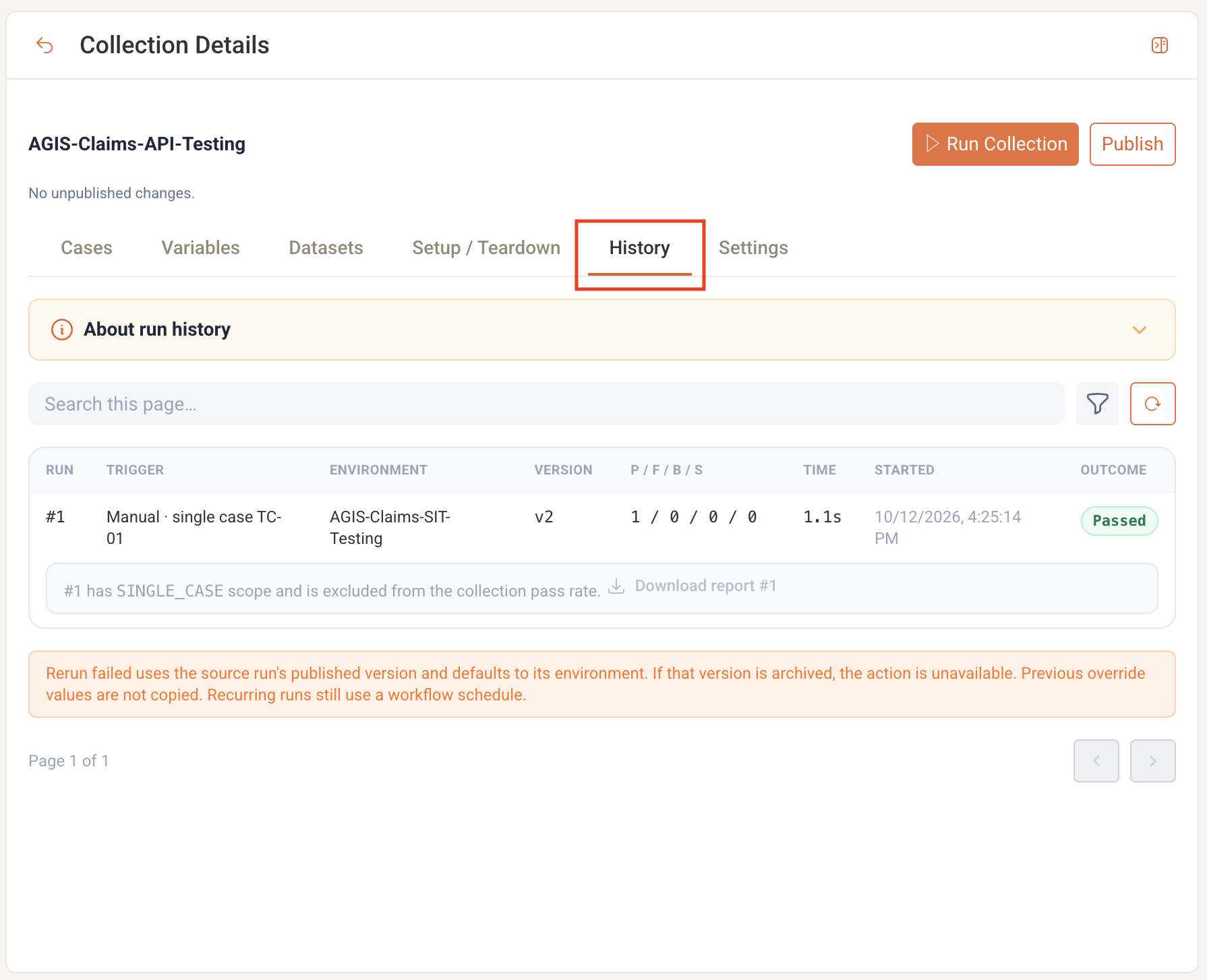
About Run History
Select the About run history panel to expand it. The panel explains how run history works:
- History includes manual, rerun, and workflow runs.
- Active runs refresh every 2.5 seconds.
- Open a run to review its cases, setup and teardown results, and evidence. See Run Results.
- Rerun replays failed and blocked cases (plus their dependencies) on the same version. The environment defaults to the source run, and previous overrides are not copied.
Search, Filter, and Refresh
Above the run list, you can use the following controls:
- Search this page... — search the runs shown on the current page
- Filter button — filter the run list. See Filter Runs
- Refresh button — refresh the run list. It is the button on the far right, next to the Filter button
Filter Runs
Select the Filter button to open the filter panel.
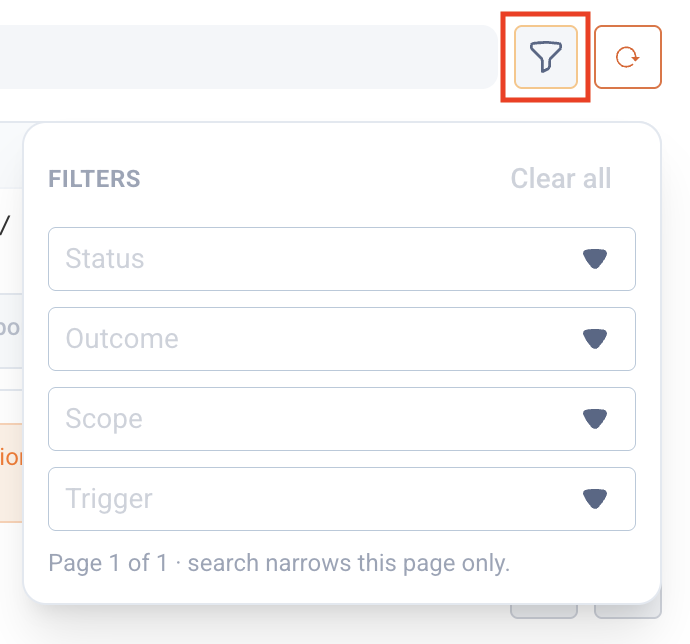
The filter panel provides the following options:
- Status — filter runs by their status
- Outcome — filter runs by their outcome
- Scope — filter runs by their scope
- Trigger — filter runs by how they were triggered
The panel also shows the current page and the total number of pages, and a note that search narrows the current page only. To remove all applied filters, select Clear all.
View the Run List
The run list shows each run of the collection in a table with the following columns:
- RUN — the run number, such as
#1 - TRIGGER — how the run was started, such as
Manual · single case TC-01 - ENVIRONMENT — the environment used by the run, such as
AGIS-Claims-SIT-Testing - VERSION — the collection version used by the run, such as
v2 - P / F / B / S — the number of cases in the run by result, in this order: Passed, Failed, Blocked, Skipped. For example,
9 / 1 / 1 / 1means 9 passed, 1 failed, 1 blocked, and 1 skipped. Blocked means AGIS could not determine the result of the case. - TIME — the duration of the run, such as
1.1s - STARTED — the date and time the run started
- OUTCOME — the outcome of the run, such as
Passed
A note appears below a run only when that run is excluded from the collection pass rate, such as a run of a single case (SINGLE_CASE scope). The note reads, for example, #1 has SINGLE_CASE scope and is excluded from the collection pass rate. Next to the note, a Download report link is shown. (Downloading run reports is not available yet)
Open a Run
Select a run in the list to open its results. The Run results page shows the run summary, the result of each case, assertions, and evidence. See Run Results.
